Skip to content
DAskDeck

AskDeck · The deck builder you can call

Text a voice note.
Get back a real PowerPoint.

Brief Eric — AskDeck’s AI agent — by phone, text, email, or web. He writes the story, designs every slide, and hands you an editable .pptx you own outright. The first preview builds while you watch.

Start a free deck

Free watermarked preview · No card, no account · Pay only for the file you keep.

Minutes
Build time
4
Ways to brief
100%
Yours — native .pptx
AskDeck · live
Assembling07 / 10 slides
Native .pptx ready
Pitch decksClient proposalsBoard reviewsQBRsProject kickoffsSales decksStrategy decksTeam updates

Voice note in. PowerPoint out.

The whole flow, on a loop — brief, build, present.

01 Brief02 Build03 Present
Voice note · 0:42

“Eric — client QBR on Thursday. Twelve slides, our template, lead with the renewal numbers…”

Brief received → confirming by text

The real build takes about two minutes. This loop takes fifteen seconds.

Meet Eric.

Brief him like you'd brief a designer. He works like one too — minus the three-day turnaround and the invoice.

Eric takes your brief in plain language, asks one or two sharp questions if something's missing, and gets to work. A couple of minutes of context is enough — messy notes welcome.

How Eric opens“Hi, it's Eric at AskDeck — tell me what the deck is for…”

Door B · In your workspace

Chat with him now.

Talk by voice or type, right in your browser. Web chat lives in your AskDeck workspace — log in and Eric picks up knowing your name, your plan, and your decks.

Calls and chats are recorded to build your draft. Details in our Privacy Policy.

How it works

Three moves to
a finished deck.

  1. 01

    Brief Eric

    A couple of minutes of context — what it’s for, who’s in the room, the one takeaway. The web brief is four quick steps; messy notes welcome. Voice and SMS get a confirm link before the build starts.

  2. 02

    Watch it build

    Eric writes the narrative and lays out every slide. Your watermarked preview link arrives in minutes — no account needed to view it.

  3. 03

    Approve & download

    Good enough to send? A freelance designer charges $300–$800 and needs three days; pay $19 once (or use a Pro credit) and download the clean .pptx — open it in PowerPoint, Keynote, or Google Slides. The file is yours forever.

See examples

Real decks, built
from a single brief.

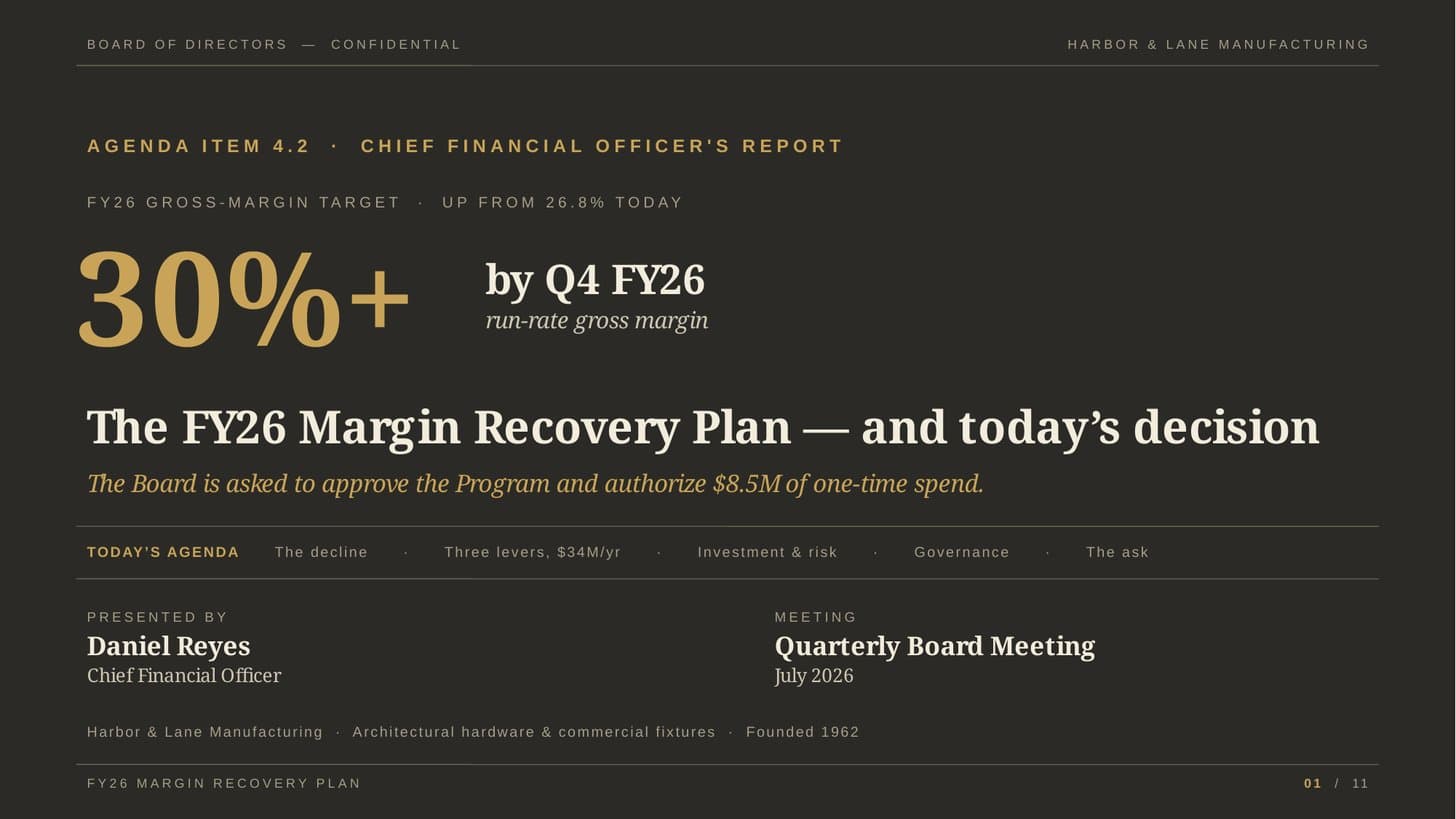
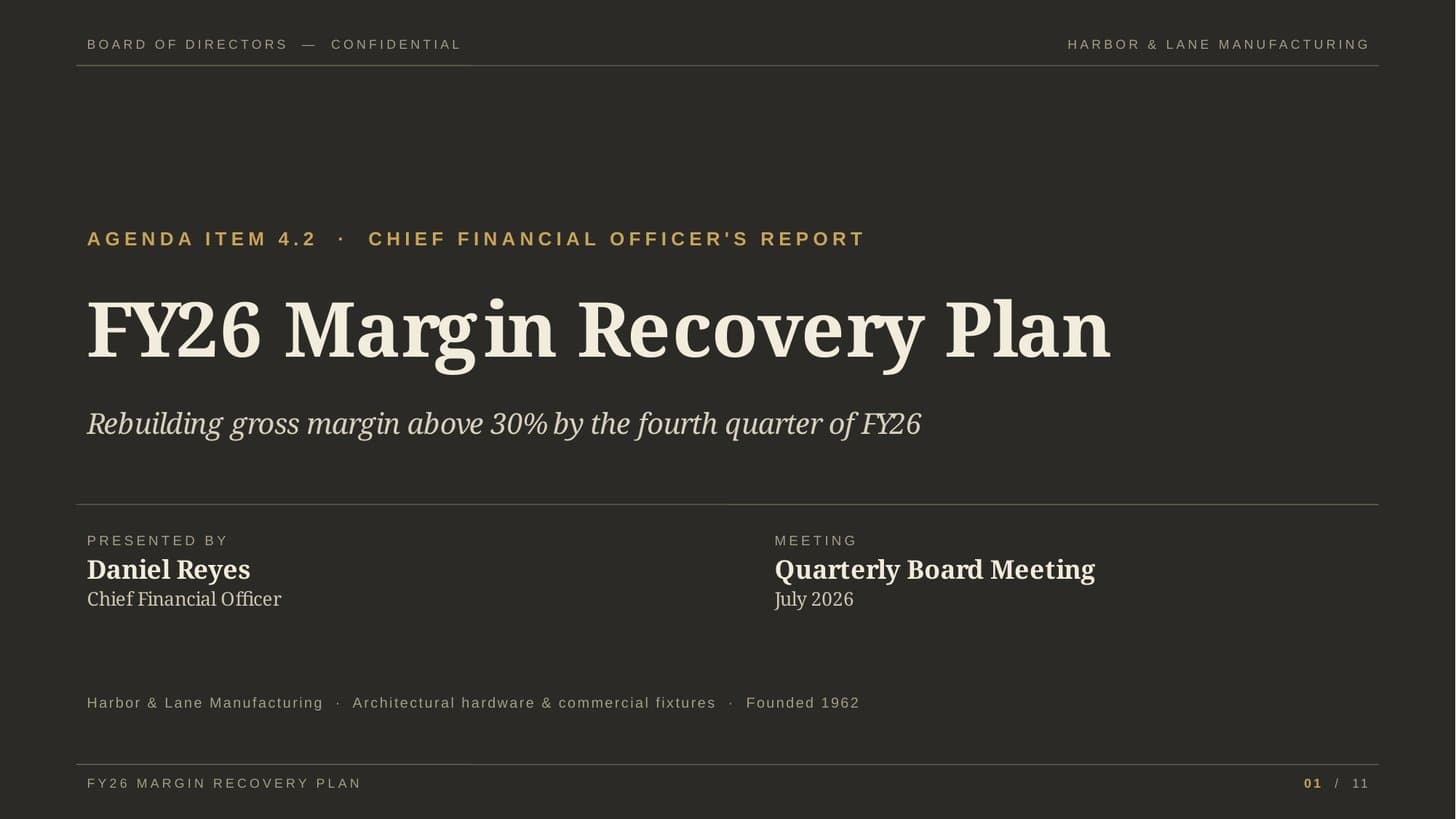
Every slide is a native PowerPoint shape — browse them. Nothing here was touched by a human after the brief. Hover to pause, click arrows to browse.

AI Best Practices at Work — slide 1 of 131/13
Professionals

AI Best Practices at Work

A practical playbook for Microsoft 365 + Copilot, built for pension plan teams. Training deck in 13 slides.

Credit Signals × Black–Litterman — slide 1 of 151/15
Research

Credit Signals × Black–Litterman

A quant-research seminar — thirteen credit signals and a posterior-tilt engine, fully cited. Briefed and built in French, 15 slides.

Juneteenth keynote — before & after a revision — slide 1 of 181/18
Revision

Juneteenth keynote — before & after a revision

The same brief, revised once. Toggle the original against the cleaned-up follow-up, then download either as a native .pptx.

AI Audio — a product presentation — slide 1 of 121/12
Real download

AI Audio — a product presentation

A complete 12-slide talk built from one brief. Download the native .pptx and open it in PowerPoint, Keynote, or Google Slides.

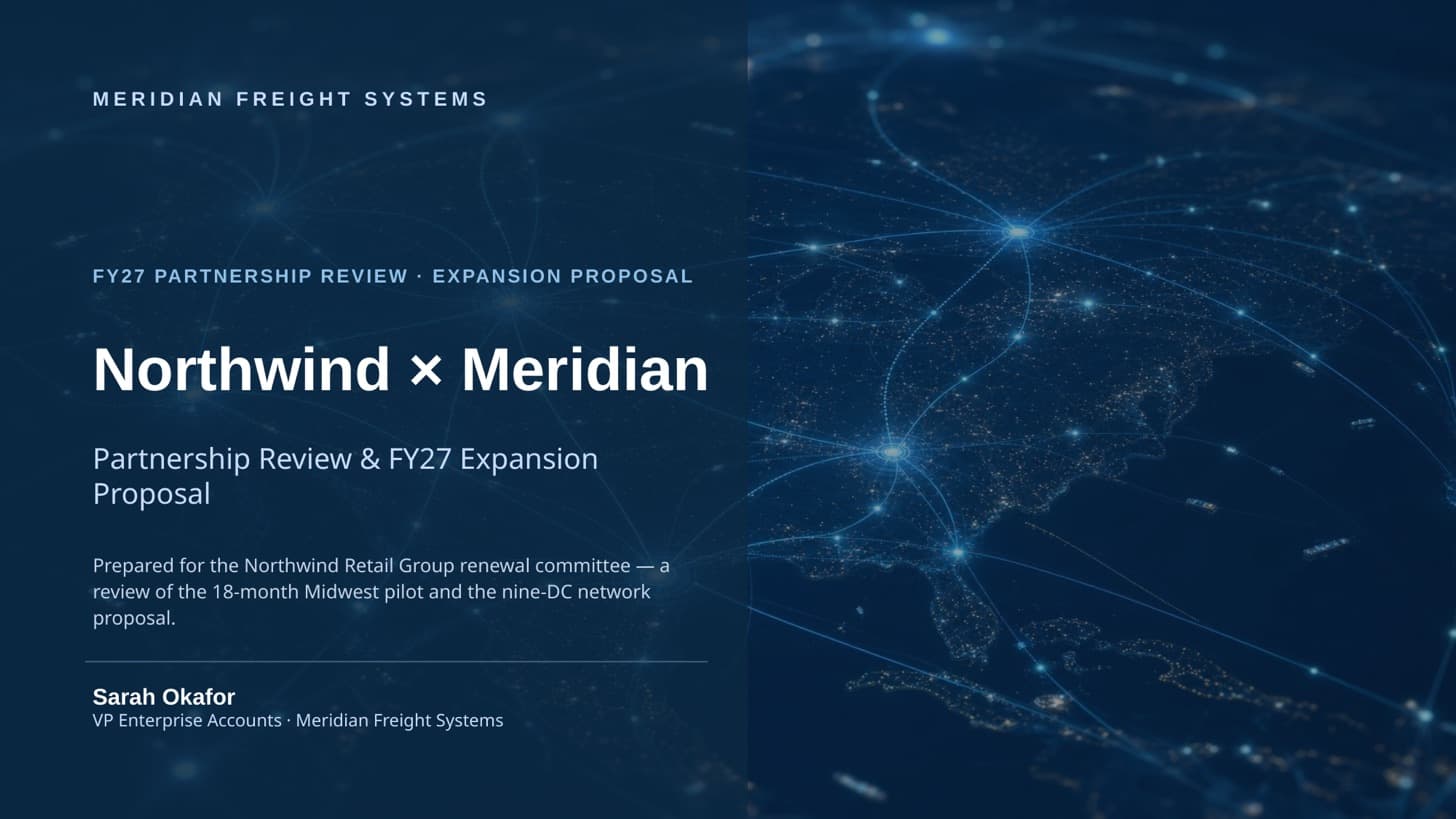
Airbnb, Jersey City — an investor pitch — slide 1 of 31/3
Pitch deck

Airbnb, Jersey City — an investor pitch

A tight investor pitch the agent produced end to end. Browse every slide, then take the editable .pptx with you.

Why this, not them

Three things that
set us apart.

The honest list. If a competitor matches these, we’ll update this page.

  • 01

    Finishes the deck you already built

    Upload a deck and Eric completes the final mile — polish, reformat to your master template, or build out from your content. Other AI tools can import slides; few treat finishing them as the job.

  • 02

    Takes a phone call and a text

    Brief from the car, the airport, the hallway after the meeting. AskDeck is built around voice and SMS as first-class input — not a gimmick bolted onto a web app.

  • 03

    Pay once, own the file

    One payment unlocks the deck forever — no mandatory subscription, no per-export fee, no “upgrade to download” wall. A native .pptx, yours to keep.

Pricing

One deck, or
a deck habit.

A freelance designer charges $300–$800 a deck and needs three days. Eric needs a brief and a few minutes. Start free — every preview is watermarked and costs nothing.

2 months free

Pay per deck

$19

per finished deck — no subscription

New here? Sign up for bonus credits toward Pro decks & top-ups.

  • Free watermarked preview
  • Pay only to unlock the file
  • Voice, SMS, web or email intake
  • No account needed to start
Start a free deck
Most popular

Pro

$39/mo

5 decks a month · pays for itself by your second deck

  • 5 decks every month
  • No per-deck unlock — ever
  • 1 free revision per deck
  • Your brand kit on every deck
  • Your whole deck library in one place
  • Top up anytime — from $5
Get Pro

Teams

$69/mo

for up to 5 members · +$10/member

Your team's always-on deck studio — Eric builds for everyone.

  • Eric builds for everyone on the team
  • One shared brand kit — every deck looks like you, whoever sends it
  • Shared deck library, so nobody starts from a blank page
  • Admin controls and a full audit log
  • A shared pool of deck credits the whole team draws from, refreshed each cycle
  • Top up anytime when a big week calls for more

A freelance designer charges $300–800 a deck and needs days. Start from one person, grow when you're ready. Cancel anytime — all sales final.

Start your team studio

Every plan: unlimited free watermarked previews. You only ever spend money to unlock a file you’d actually send.

For Enterprise

Deploy an autonomous deck-building agent your whole org can brief.

Eric researches, builds, renders, and returns finished decks — briefed by chat, voice, email, or your organization's own phone line, inside the security perimeter your review demands.

  • Single sign-on, org-wide admin, roles, and audit
  • A signed DPA and a contractual no-training guarantee
  • A dedicated phone and SMS line for your organization
  • Connected to your stack — Microsoft Teams, Google Drive, SharePoint, Box
  • Custom seats, pooled credits, and priority generation
  • A dedicated team to tailor AskDeck to your environment

Enterprise

Contact us

Pricing is tailored to your organization — no per-seat list price.

Built around your organization — we tailor every capability to your environment.

The promise

$0 to try. $19 only if
you’d actually send it.

  • Free watermarked preview every time — no card, no account.
  • Pay once to download the clean .pptx — yours to keep, forever.
  • See it before you spend a cent — every slide is previewed free and watermarked before you pay, so the only deck you buy is one you’ve already approved. All sales are final except where the law requires otherwise.
Start a free deck Your watermarked preview in minutes.

Questions

Honest answers.

Anything else? [email protected].

Q.01

Will I get a real .pptx file?

Yes — a native PowerPoint file, fully editable in PowerPoint, Keynote, or Google Slides, and yours to keep. Not a web-only canvas, not a PDF.
Q.02

How is this different from web-based deck makers?

Most are web editors: you go to them, work in their canvas, and export is an afterthought. AskDeck is an agent. You send the brief from wherever you are — a phone call, a text, an email — and a native PowerPoint comes back, built to your template if you have one. There’s no editor to learn, because there isn’t one.
Q.03

Is Eric a real person?

Eric is an AI agent — that’s how a deck gets built in minutes at 2 a.m. The humans are at [email protected] and answer within the business day.
Q.04

Can I edit slides after I download?

Every slide is a real PowerPoint shape. Move, restyle, swap charts, change fonts — same as any deck you’d build from scratch.
Q.05

Can I upload a deck I’ve already started?

Yes. Upload it and Eric finishes the final mile — formatting, alignment, fonts — without rewriting your content. Start at /start and choose “Already have a deck?”.
Q.06

Can you apply my company’s PowerPoint template?

Yes. Upload your deck plus your master template (.pptx) and every slide is re-skinned into your template’s layouts, theme, colours, and fonts. Your words stay; only the styling changes.
Q.07

What if I don’t like the result?

Don’t pay. The preview is free and watermarked, so you see the whole deck before you decide — you only ever pay to unlock the clean file. Because you try the full result first, sales are final once you unlock, except where the law requires otherwise. Need a tweak after that? Pro and Teams include free revisions per deck.
Q.08

Which AI writes the deck?

Advanced AI tuned for narrative writing and slide layout. Works for any presentation — investor pitch, class project, sales proposal, team update — in any language.
Q.09

What happens to my brief and my deck?

Stored in your account so you can revise or re-download. Delete any time from /app/settings. We don’t train AI models on your data.
Q.10

Can my IT team review you?

Yes — askdeck.ai/trust covers our security, data handling, and retention practices. Forward it straight to security review.

Just a few minutes away

Your next deck is one brief away.

Free watermarked preview · no card, no account · pay only for the file you keep.

  • No model training on your data
  • One-click delete from your settings
  • Encrypted at rest
Security & data practices
AskDeck — Text a voice note. Get back a real PowerPoint.